

Projects: UX-Driven Design Backed by Technical Proficiency
Welcome to my project showcase! These applications demonstrate my commitment to **user-centric design** and rigorous **Accessibility (A11y)** standards. I build intuitive, inclusive experiences that solve real-world problems.
You'll find concrete examples of this philosophy in the **persistent Dark Mode** and **Undo functionality** (TaskMaster) and a focus on **keyboard control** and clean, themeable design (CSS Custom Properties).
My added value lies in executing these designs with robust engineering: projects showcase advanced JavaScript concepts like the **Minimax AI algorithm** for complex logic, efficient state management, and the use of **WAI-ARIA** for a stable, accessible application core.
Explore the live demos below to interact with the applications, and view the well-structured code on GitHub to see my full development methodology.
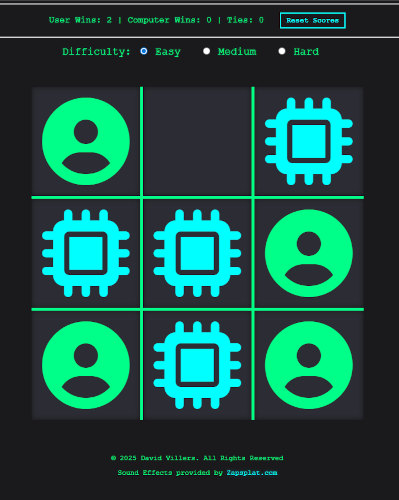
Modernized Tic-Tac-Toe: AI Logic
This project showcases my ability to implement complex algorithms and manage game state in a responsive, high-contrast environment. It successfully transforms a simple game into a demonstration of computational logic.
**Technical Highlight:** The "Hard" difficulty level is driven by the **Minimax AI algorithm**, a core recursive concept in game theory, resulting in an unbeatable computer opponent. Game state is efficiently managed via a simple array.Implementation of the Minimax Algorithm
The game also features persistent score tracking using **localStorage** across browser sessions and includes smooth visual feedback, like the animated win line, implemented using the performance-friendly `requestAnimationFrame`.
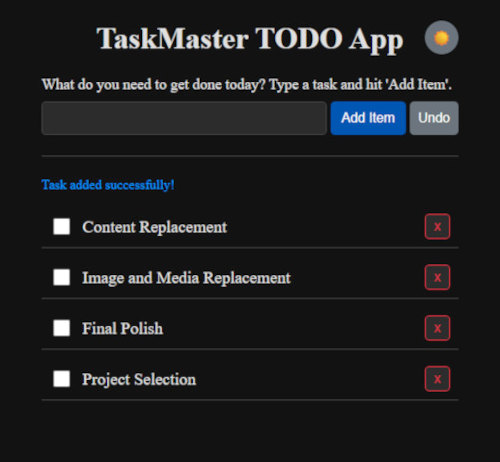
TaskMaster: Accessible To-Do App
This application was built to demonstrate proficiency in **user-centric design** and **application state management**. My primary focus was on creating a fluid, accessible experience that maintains data integrity.
**Key UX/A11y Features:** Includes persistent **Light/Dark Mode** settings and a crucial **Undo functionality** to prevent data loss. The entire app is keyboard-controllable, meeting **A11y standards** by utilizing `aria-label` attributes and the Enter key for submission.UX driven, fully accessible application
The technical foundation relies on **Vanilla JavaScript** to manage core CRUD (Create, Read, Update, Delete) operations and efficiently handle data persistence using **localStorage**. The UI uses **CSS Custom Properties** for quick, maintainable theme switching.
Portfolio: A Meta-Project in Front-End Architecture
This portfolio is a live demonstration of my ability to design and build a **robust, production-ready web application** from the ground up. It serves as the ultimate showcase of my front-end methodology and organizational standards.
**Architectural Highlights:** Structured using the **BEM methodology** for clean component naming and the **Single Responsibility Principle (SRP)**. The entire site uses **CSS Custom Properties (Variables)** for centralized, maintainable themes and styles.Modular, scalable, and fully documented codebase.
The core JavaScript logic features a custom, highly accessible Contact Modal with a full **Focus Trap** implementation, ensuring compliance with **WAI-ARIA standards** for screen readers and keyboard users. Performance is maintained through **DRY (Don't Repeat Yourself)** principles, including conditional script loading.
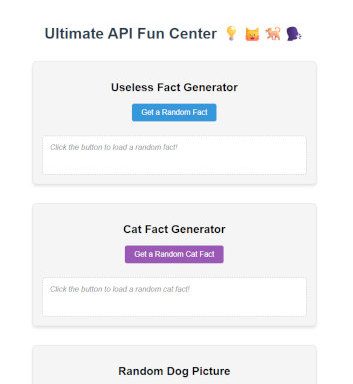
API Fun Center: External Data Integration
This project serves as a focused demonstration of **Asynchronous JavaScript** and my ability to successfully integrate with multiple third-party APIs across various domains (data, images, and translation services).
**Core Technical Skill:** The application uses the modern **`fetch` API** to handle all external requests. It includes proper promise chaining (`.then()`) for sequential data handling and robust **error handling** (`.catch()`) for unstable API services.Proof of proficiency in Asynchronous JavaScript
The inclusion of the Yoda Translator demonstrates how to properly **encode user input (`encodeURIComponent`)** before transmitting data via a URL, which is a critical security and functionality requirement for interacting with live servers.